New definitions should make shopping easier.
This post brought to you by Grant Clauser over at Electronic House magazine.
Audiophiles everywhere have been promoting and arguing the benefits of high resolution audio since they discovered that the CD version of The Wall sounded less like high school than the vinyl version they bought at a yard sale. Manufacturers have caught on, and now many are promoting their products’ ability to play high resolution audio. At the same time, a few music distributors are playing the audio elitist game by offering high res files of music.
While most people these days are satisfied with Pandora, Spotify and their iTunes downloads, the trend toward higher quality music sources is apparently growing so much that the music and electronics industries got together to slap a firm-ish definition on high resolution audio. In a nutshell, high resolution audio is anything better than low resolution audio, even if it’s only medium resolution.
Seriously though, high resolution audio files played on the right equipment can sound much better than the typical music download, and much better than a streaming source, but explaining the difference can be complicated.
This stereophonic meeting of the minds on this issue included the Digital Entertainment Group (which throws one of the most coveted parties at CES), Consumer Electronics Association (which throws CES), and The Recording Academy (which threw me out of the Grammys once). Also involved was Sony Music Entertainment, Universal Music Group and Warner Music Group.
The definition they came up with sounds pretty simple—high resolution audio is any audio that came from a better-than CD master. In their own words high res is “lossless audio that is capable of reproducing the full range of sound from recordings that have been mastered from better than CD quality music sources.”
To compliment that definition, the group also came up with a list of descriptors for different qualities of masters:
• MQ-P From a PCM master source 48 kHz/20 bit or higher; (typically 96/24 or 192/24 content)
• MQ-A From an analog master source
• MQ-C From a CD master source (44.1 kHz/16 bit content)
• MQ-D From a DSD/DSF master source (typically 2.8 or 5.6 MHz content)
The definition here may seem a bit broad and include a lot that some audiophiles may not consider quite high-resolution enough, but it’s a good starting point and meant to add to some clarity to a previously more-vague term.
Will there be a logo to go along with this definition, and will music studios and electronics manufacturers begin using these guidelines? It’s all voluntary, so maybe. “When properly implemented, we believe this agreement will be welcomed by our members and the music community, enhancing their ability to improve the music creative process,” said Neil Portnow, president/CEO of The Recording Academy
Wednesday, July 23, 2014

Dropcam in the Nest Smart Home Family, What’s Next?

This post brought to you by Julie Jacobson over at Electronic House magazine.
I had the opportunity last week to serve on a panel discussion with Maxime Veron, director of product marketing for Nest, at an event sponsored by Harvard’s Joint Center for Housing Studies.
Nest Labs, acquired recently by Google for $3.2 billion, is spending $555 million to acquire Dropcam, maker of DIY cloud-enabled surveillance cameras.
I asked him about that “ZigBee radio” in the Nest thermostats that we discovered a couple of years ago.
He told me that, while the chip includes the same 802.15.4 radio used by ZigBee, in fact Nest is using something more like the low-power IP protocol 6LoWPAN with a proprietary layer called Nest Weave.
The technology allows communications among Nest devices even if the home network or Internet access is down.
So, for example, if the smoke/CO detector trips, then the HVAC system will shut down.
What Can Dropcam Add?
So now comes the question of Dropcam. What can the IP cameras add to the ecosystem? The products are sold for $150 and $200 with an optional $99 or $299/year service fee for cloud recording.
For those who subscribe to the cloud service, Dropcam offers some pretty sophisticated analytics that can, for example, distinguish pets from people or detect the opening and closing of doors.
It would not be a stretch for Dropcam to develop algorithms that detect smoke or fire before the warnings hit traditional detectors.
Of course, we could easily imagine that a Dropcam with Nest Weave could be triggered to record when the Nest Protect goes off.
More interestingly, the camera maker recently announced Dropcam Tabs, little sensors that can be affixed to doors, windows, washing machines (to detect the end of a cycle), valuables like computers and TVs, and anything else that moves.
Using Bluetooth Smart (Bluetooth Low Energy, or BLE), the sensors communicate with the camera to indicate activity or non-activity, and the information is relayed through the cloud (for users with the optional service) via email or text.
I’m guessing Nest will add Weave to Dropcam cameras and Tabs, further adding to its inter-communicating ecosystem.
Now, consider that Nest’s mission is to be the purveyor of the “conscious home,” as Veron noted during the JCHS panel discussion, then you can imagine what the camera and sensors can add to Nest.
The big problem today with the Nest thermostat and smoke detector is that they only provide a handful of “learning” points.
With Dropcam video analytics and Tabs sensors, Nest will be able to add multiple points for learning the habits of occupants and their property.
Surely some lighting controls are not far behind.
Let’s go one step further. As integrator Mark Seaton of Chicago-area Seaton sound suggests, Google could quite easily mesh Facebook with Dropcam analytics to indicate, for example, who is at the front door. Dropcam is not yet to the facial recognition stage, but surely will get there in time.
Three Strikes and You’re Out: Samsung Ending Plasma TVs

This post brought to you by Grant Clauser over at Electronic House Magazine
Well, no one should be too surprised at this, but it appears Samsung is joining Panasonic (and Pioneer, Hitachi, Fujitsu, Runco…) as the latest HDTV manufacturer to call it quits on the plasma TV business. That leaves only LG.
As you probably remember, last year Panasonic, known at the time for making the industry’s best-performing television (the ZT60), pulled the plug on those plasma TVs to focus solely on LED LCD TVs. Samsung is now joining them,reports Reuters, which states the reason as “the decline in overall demand for plasma display panel televisions.”
This is something that continues to baffle people in the home theater business. Let’s make this clear—plasma TVs (mostly) produce better pictures than LCD TVs, even LED LCD TVs. There are some LEDs that come close, very close, but those have always been the most expensive models. Plasma looks better and cost less (check out this 64-inch plasma for $1,2999).
What part of that didn’t the buying public understand?
Now the only plasma TV maker left is LG, who no doubt also has plans to scrap its plasma business.
Another likely reason, aside from consumer lack of interest, is the move to 4K. The entire TV manufacturing business is transitioning to Ultra HD 4K TVs, and that’s not a transition that plasma panels make easily. What kind of message would Samsung (or anyone else, for that matter) be able to make about picture quality if they sold top-performing plasmas but pushed more expensive LED 4K sets at the same time?
So with plasma TV’s end of the road soon upon us, what can we hope for next? What about OLED? OLED TVs are our hope for a truly awesome display technology, and the examples we’ve seen so far, mostly from Samsung and LG, have been as impressive as we could want. But they’re also crazy expensive. Samsung earlier this year made motions that it’s OLED adventures were going to move a little slower than previously expected (see here), but LG, on the other hand, pledged a whole lotta new OLED products. Let’s keep our fingers crossed.
Finally, the change isn’t happening immediately. According to the Reuters article Samsung will keeping making plasma TVs until November (probably to have them available for the holiday sale season).
Monday, July 21, 2014
What's Better: One Subwoofer or Two?
This post brought to you by Al Griffin over at Sound and Vision Magazine. Got a tech question for Sound & Vision? Email them at AskSandV@gmail.com
Q: If I have a budget of $1500 to buy a subwoofer, should I buy one great sub or two good $750 subs? They would be used equally for both movies and music. Also, how do you connect more than one subwoofer to a receiver? —Raphaël Rainville, Montréal QC, Canada
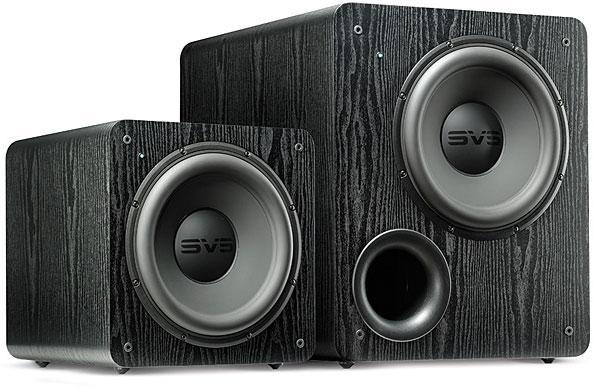
A: That depends on what kind of listening experience you’re looking for. A big sub with a 15-inch driver should easily deliver deep bass extension and powerful dynamics. On the other hand, with two (or more) subs—even ones with smaller drivers—you can expect smoother, better-defined bass over a wider range of listening positions in your room.
Why? Standing waves. The interaction of the subwoofer’s output with your listening room creates modes that boost bass at certain frequencies, and cancels it out at others. Adding a second sub will help to even out those response peaks and dips. Also, a single sub can usually be localized by ear—something that isn’t the case when using two or more subs.
A few years ago, Sound & Vision published a listening comparison entitled Subwoofers: 4, 2, or 1? that attempted to gauge the sonic differences when listening with one big sub and multiple smaller subs. The tests used the same material to evaluate a single unit with a 15-inch driver, two 12-inchers, and four 8-inchers. The result? The 15-incher delivered the most authoritative low end, but its pitch definition was left wanting compared with the smaller sub configurations. It also found that while the quartet of 8 inchers failed to deliver muscular bass, the 12-inch pair was nearly as impressive as the 15-inch sub on that front. This lead the tester, Brent Butterworth, to conclude: “Two 12-inch subs in the front corners of the room is a damn good compromise for lots of situations.”
So, if you’re looking for brute bass power and the lowest possible extension, go the 15-inch route. But a pair of good 12-inch subwoofers can get you close to the same experience—and also deliver better—balanced bass. Oh yeah—to connect them to a receiver, just use a Y-splitter cable adapter plugged in to the receiver’s subwoofer output.
Saturday, July 19, 2014
Sonos Brings SoundCloud Home

This post brought to you by our friends at Sonos.
Nothing should stand between you and the music you love and want to discover. And the closer we can connect you to all the music on earth, the more we deliver on our mission to create the best experience with music at home. Period.
Today we move another step closer to fulfilling that promise as we welcome an exciting new partner to the Sonos world of music –SoundCloud.
SoundCloud enables millions of listeners around the globe to discover original music, connect with each other and share their own sounds – from unknown artists putting their first demos into the world from their bedroom, to bands debuting their latest singles, to podcasters, comedians, news outlets and more.
Together, we’ve partnered to bring you closer than ever before to the world’s largest community of sound creators – the way they want you to hear it.
A global connection to a world of sound, now playing on Sonos everywhere
With SoundCloud, we bring Sonos customers in every country around the world a truly global experience, all at once, connecting you to a unique, expanding library of music and audio.
Original sounds from artists and creators, unleashed to your home the way they were meant to be heard
With 12 hours of music and audio uploaded to SoundCloud’s platform every minute, Sonos expands your world of listening by freeing those sounds from computers and devices, giving millions of homes a direct way to stream to HiFi speakers.
Easy discovery without limitations
With SoundCloud’s ever-expanding library of new and established artists on Sonos, you can easily discover unique music and audio. Use Universal Search on the new Sonos controller app to stumble upon music from your favorite artists on SoundCloud that you may never have heard before.
Try SoundCloud’s free service in beta on Sonos now by visiting ‘Add Music Services’ in the new Sonos app and dive into a world of new music.
For more information on this, please visit sonos.soundcloud.com.
- See more at: http://blog.sonos.com/news/sonos-takes-soundcloud-home/#sthash.Odfw16QD.dpuf
Nothing should stand between you and the music you love and want to discover. And the closer we can connect you to all the music on earth, the more we deliver on our mission to create the best experience with music at home. Period.
Today we move another step closer to fulfilling that promise as we welcome an exciting new partner to the Sonos world of music –SoundCloud.
SoundCloud enables millions of listeners around the globe to discover original music, connect with each other and share their own sounds – from unknown artists putting their first demos into the world from their bedroom, to bands debuting their latest singles, to podcasters, comedians, news outlets and more.
Together, we’ve partnered to bring you closer than ever before to the world’s largest community of sound creators – the way they want you to hear it.
A global connection to a world of sound, now playing on Sonos everywhere
With SoundCloud, we bring Sonos customers in every country around the world a truly global experience, all at once, connecting you to a unique, expanding library of music and audio.
Original sounds from artists and creators, unleashed to your home the way they were meant to be heard
With 12 hours of music and audio uploaded to SoundCloud’s platform every minute, Sonos expands your world of listening by freeing those sounds from computers and devices, giving millions of homes a direct way to stream to HiFi speakers.
Easy discovery without limitations
With SoundCloud’s ever-expanding library of new and established artists on Sonos, you can easily discover unique music and audio. Use Universal Search on the new Sonos controller app to stumble upon music from your favorite artists on SoundCloud that you may never have heard before.
Try SoundCloud’s free service in beta on Sonos now by visiting ‘Add Music Services’ in the new Sonos app and dive into a world of new music.
For more information on this, please visit sonos.soundcloud.com.
- See more at: http://blog.sonos.com/news/sonos-takes-soundcloud-home/#sthash.Odfw16QD.dpuf
Home Theater: A Great Place to Start Automating
This post brought to you by our friends at Control 4.
The thought of placing your entire house under the command of a single home automation system can seem like a daunting task. And in some cases, it can be. Whether your home is in the process of being built or is already completely finished, its layout and your budget can all influence the difficulty of the design and installation of the processors, wiring and other components that make up a control system. Fortunately, manufacturers like Control4 offer solutions that allow you to add home automation gradually, one component at a time, as you deem necessary and financially wise.
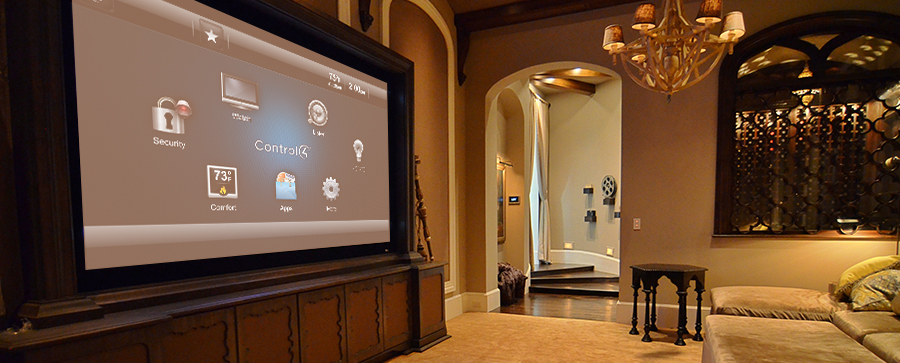
A natural place to begin your automating is in the home theater or media room. Here, you can consolidate the controls of every piece of A/V equipment into a single menu on an iPad, a touch screen or the buttons of a handheld remote. A “Movie Time” command issued by these devices is received by the home theater’s home automation processor, which is able to translate the command into signals that each piece of A/V equipment can understand. Beyond this capability, the processor can manage the settings of the room lights; for instance, dimming them as the A/V receiver activates. It can also tell a motorized roller or track to close the shades or drapes over the windows.
These features can provide you with a good sense of what home automation is about. You’ll be able to get familiar and comfortable with the system, and when you’re ready, expand into other rooms or weave in the control of other types of devices with confidence and without breaking the bank. And don’t worry too much about the labor involved. A few additional pieces of hardware and a tweak of the software program by a custom electronics professional will likely be all that’s required to broaden the scope of a home theater-based automation system.
See how this Florida homeowner with a penchant for high-powered audio experiences transformed his home theater into a full-blown home automation systems that would fulfill any audiophile’s wildest dreams: Control4 Puts Audio Power in the Palm of the Hand
Getting Your Control4 System to Adapt to You
This post comes to us from Lisa Montgomery, Senior Editor at Electronic House and freelance home technology writer.
One of the biggest mistakes we as tech consumers make is trying to force ourselves to adapt to the electronic systems in our homes. Shouldn’t it be the other way around? Shouldn’t technology adapt to the way we live? Yes and yes.
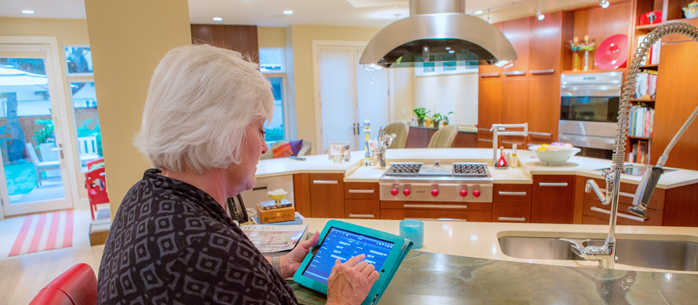
Thanks to a huge influx of connected devices, also known as the “Internet of Things,” it’s become possible to easily modify automation systems to our ever changing routines, habits and expectations. And after the initial install by your Control4 dealer, you won’t always need to schedule a house call to do so. Control4 has developed software that enables homeowners to perform minor modification to their automation system. Is the kitchen light in the “Good Morning” scene that your dealer setup too bright? You can easily dim that light and make that change to the “scene” from a Control4 touch screen or with a few clicks of a mouse on your computer. Or maybe you’d like to create a completely new automation routine, like having your favorite playlist automatically play in your bathroom ten minutes after your morning alarm goes off. That’s possible, too. With access to the software, you’re free to experiment and explore, to customize and personalize, to help the system adapt to the way you live.
When you’re ready to expand, your dealer can add an electronic door lock, motorized track for your window drapes or a smart thermostat, and you’ll know that you’ll always be able to adjust their settings to suit whatever schedule or routine you happen to be following at the moment.
A Winning Combination
This post comes to us from Lisa Montgomery, Senior Editor at Electronic House and freelance home technology writer.
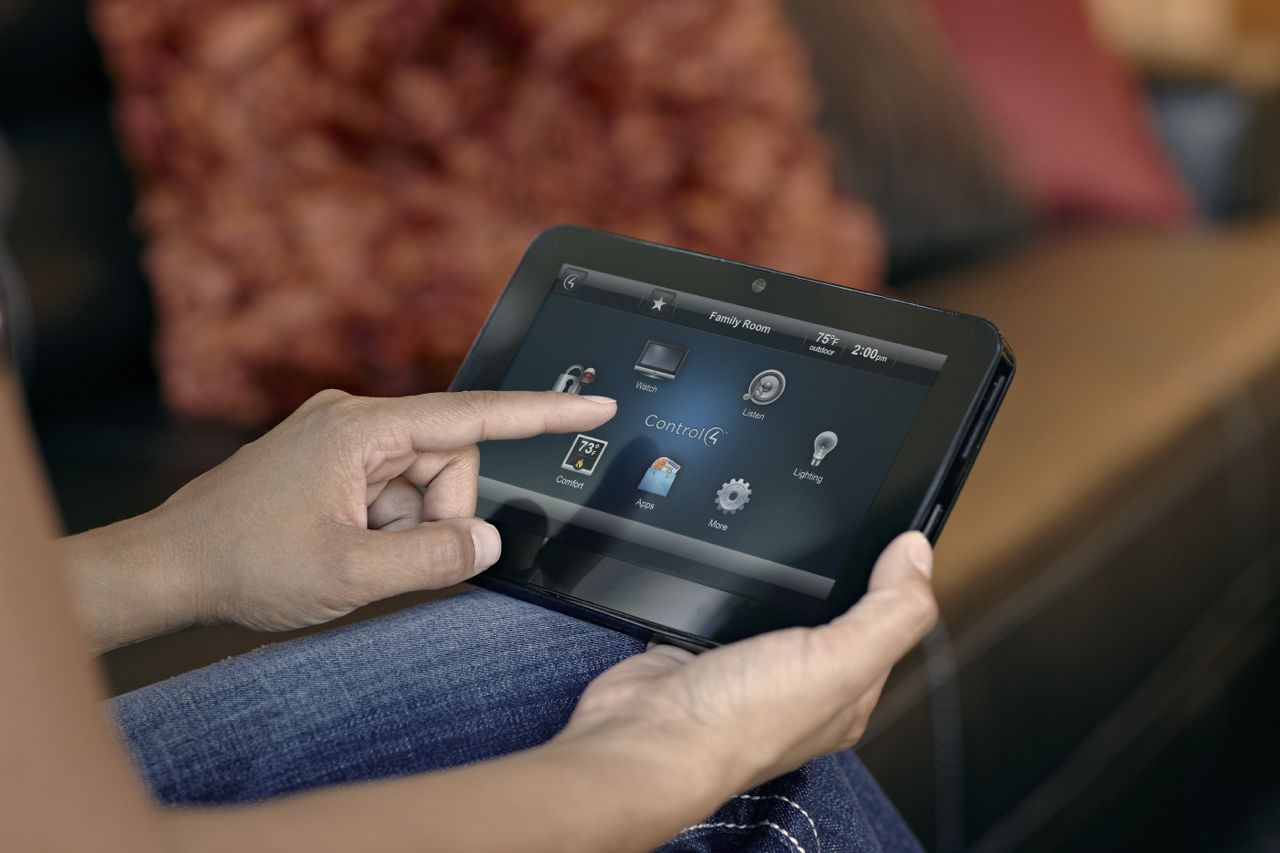
You might think that using an app on your iPad to operate the electronic devices in your home is convenient…and it is. Sometimes. There’s no doubt that the iPad is a great device from which to manage a home, but for many families, using a combination of different types of controllers is often a better solution than sticking strictly with a mobile device. Be sure to also consider integrating wall-mounted keypads, portable touchpanels and handheld remotes. Here’s why:
Keypads:
Unlike mobile controllers that float around the house, wall-mounted keypads are always in the same spot. Stationed to the wall, they never get lost between the cushions of the couch or lose battery power. Keypads are ideal controllers for quick, on-the-spot adjustments of lights and motorized shades. They’re also effective at minimizing wall acne, as one keypad can usually do the job of what might have required four or more independent light switches to accomplish.
Portable Touchpanels:
On the surface, a portable touchpanel may seem a lot like an iPad, where graphical icons and menus guide you through the control options. However, unlike an iPad which might also be used to store photography, download music and watch movies, a touchpanel focus on one thing and one thing only: controlling the electronic devices in your home.
Handheld Remotes:
Many people prefer the tactile feel of buttons over icons on touchpanels and tablets to launch commands, particularly to the A/V equipment of a home theater. Handheld remotes are ideally suited for media rooms and home theaters for adjusting the volume and playing and pausing a movie. With some programming, a handheld remote can provide couch-based control over the media room’s lights.
Subscribe to:
Posts (Atom)