Tuesday, November 11, 2014

Exploring 4K: Does Color Trump Resolution?


I rarely post such technical commentary but this is an excellent explanation of why its premature to buy a 4K television.

Video expert Joel Silver explains why 4K is a piece of the puzzle, but not the next-generation standard bearer for high-performance video.

By Robert Archer, November 11, 2014

Ever since the failure of 3D as a long-term movie and TV sales driver, both Hollywood and the consumer electronics industries have determined that 4K, or Ultra HD, provides the best opportunity to drive video product sales.


Since both industries began to focus on 4K, momentum for the format has been steadily gaining steam. Highlighting that momentum was the buzz it generated at two of the biggest tradeshows of the year — CES and InfoComm.


Both events featured a number of 4K products and the interest for the format on each respective show floor was noteworthy.


Taking a step back from all of the 4K enthusiasm is Joel Silver, president of the Imaging Science Foundation (ISF) and one of the A/V industry’s preeminent video experts. For well over a year, Silver has been cautioning installers that there are other fundamentals in place that should take a higher priority than resolution.
4K Part of the Larger Picture


Silver is excited for the future of video and the performance potential that exists with some of the upcoming initiatives the professional and consumer markets are working on, but he points out that 4K alone won’t push video standards into breaking new ground.


“Having 4K is one part of UHD and [next-generation, high-performance video], but it is not the most important part and people don’t get that,” says Silver. “It is part of the roadmap, and there are two flavors of 4K, which is exciting, but there is a committee looking at HDR [high dynamic range].”


The reason why HDR is so important for the next generation of video quality, Silver says, is the public has lived with the same temporal resolution since 1939. In the near future he notes — around 2017, 2018 — advances in color gamut will really drive innovation.


“Going from 2K to 4K is an improvement, but it is not revolutionary,” he admits. “But the new colors, that is something. There is a lack of understanding concerning the rollout of 4K. I would much rather have a dynamic 2K HDTV than more pixels. Something with great blacks or great HDR, that is more impactful. Resolution is only apparent when you are close.”


Underscoring what is happening in the video world, Silver emphasizes that 4K is just the first part of a new system. “Frankly [4K] is the least impressive part of the roll-out,” he boasts.
Color Space Advances Key to Quality


According to Silver, the underpublicized part of the impending video industry’s format updates is the expanded color gamut that could become a part of their final specification.


“The 2020 color space (the International Telecommunications Union Radio Communications ITU-R BT.2020 recommendation) is going to be great for laser color space, but it will be difficult for older TVs.”


Flat-panel TVs will be expensive,” he continues. “The broadcast space already uses [the spec]. I have a 17-inch HP laptop that was part of a venture with DreamWorks and it includes Rec 709 capabilities and the Adobe Color Space that is much better than HD. The laptop also does DCI (Digital Cinema Initiatives).”


“I can in a two-minute demo show pictures in three different color spaces. Improvements in color gamut are instantaneously superior to the average viewer. Showing Adobe Color Space over Rec 709 is noticeable. Glancing at 4K, the average person doesn’t see [a noticeable difference] because it is just resolution.”


Joining manufacturers that include Digital Projection (DPI) and Sony in their enthusiasm for laser-based projectors, Silver says these products along with LED solutions will be able to deliver the color gamut capabilities that are a part of the next-generation formats.


“The Ultra HD format will bring us all of that,” he notes. “It will deliver a much better image because dynamic range is more important.”
Quality Begins With Basics


The impending video formats may offer wider color gamuts and more resolution, but just like current industry standards, their respective performance is based on the same fundamentals as current-generation formats.


Both HD and Ultra HD/4K require proper black level and contrast setups before moving onto color and resolution calibrations


“Contrast is the most important parameter,” emphasizes Silver. “If you don’t have good blacks and whites, you won’t have a good image. Some of the great engineering minds from Philips, Dolby, the BBC (British Broadcasting Corporation) and Technicolor look closely at contrast.”


Explaining further, Silver says those in the video industry, including the International Telecommunications Union (ITU), are examining ways to develop “smart” dimming where the content “directs” displays to dim.


“The question is, can they monetize the technology to include it in video displays?” he says. “Contrast remains the single most important feature in evaluating a TV.”


Backing up his statements on contrast ratio, Silver says dealers need to examine the CEA/CEDIA-CEB23-A: Home Theater Video Design specification that was updated back in 2012, which defines criteria for home theater setup and performance. It’s a good place to start when thinking about commercial installations, too.


Silver, who was a part of the expert panel that created the jointly developed the guidelines, points out the 150:1 contrast ratio checker-board pattern in CEB-23-A is unattainable for most systems, including commercial systems.


“What I aspire to when I work with home theater builders is that 150:1 contrast ratio. It is only really possible with a well-engineered room and system,” he says. “If a room has white walls, it doesn’t matter how good the screen and projector are [it won’t perform to the guidelines].”


Summing up what dealers should concentrate on as the market continues to evolve, Silver is succinct. His advice applies to designing and setting up virtually any type of flat-panel or projection system.


“Contrast is number one, secondly color saturation, and the third thing is color accuracy. The fourth thing is resolution, but it is nowhere as important as the other three items,” Silver emphasizes. “The first thing dealers should do with when presenting to clients is talk about good TVs before getting to 4K.”


“Dealers need to consider performance parameters and ask themselves when evaluating TVs, are the blacks and whites really good? Does the TV’s dynamic range give you the punch you are looking for? Can it deliver the [brightness] spec for theaters [14.4-foot lamberts (fL)]? TVs like Sharp’s Elite put out more than 20fLs. So dealers need to ask the clients if they want a good TV before they talk about 4K … I don’t worry about the market at all. The market speaks for itself, and that is why the $1,000 4K TVs aren’t doing well in the market.”


What is Adobe RGB?


Adobe RGB is a standard that was first introduced in 1998 to coincide with Adobe’s launch of its Photoshop 5.0 program. Adobe says the color space adheres to International Color Consortium (ICC) guidelines.


According to Adobe, as part of an ICC-based color management system, color profiles are created for devices so colors in an image can be modified throughout the workflow process to compensate for any differences between devices.


Adobe includes its ICC profile, called the Adobe RGB color space, in all of its color managed software tools. Highlighting some of Adobe’s RGB specifications are these calibration points of interest (based on CIE Standards):


Reference White Point (CIE, 1931):
X=0.3127/Y=0.3290
Luminance level of white displayed should be 160.00 cd/m2


Chromaticity Coordinates (CIE, 1931):
Red: X=0.6400/Y=0.3300
Green: X=0.2100/Y=0.7100
Blue: X=0.1500/Y=0.0600
Outlining ITU-R BT.2020 Picture Characteristics


Back in August 2012, the International Telecommunications Union (ITU) Radio Communications Sector issued its rec-ommendations for the reproduction of Ultra HD content. The initiative is called ITU-R Recommendation BT.2020 (also called Rec. 2020 or simply BT.2020) and it outlines broadcast for the delivery of au-dio and video, frequency management, and time signals and frequency standard omissions.


Arguably the most important compo-nents of the ITU’s recommendation from the installer perspective are the picture spatial and picture temporal characteris-tics, as well as the trade group’s recom-mendation for system colorimetry.


Here are some of the ITU-R’s recom-mendations from its BT.2020 technology outline:


Picture Spatial Characteristics
Picture Aspect Ratio: 16:9
Pixel Count Horizontal x Vertical: 7,680 x 4,320/3,840 x 2,160
Pixel Aspect Ratio: 1:1 (Square Pixels)
Pixel Addressing: Pixel ordering in each row is from left to right, and rows are ordered from top to bottom


Picture Temporal Characteristics
Frame Frequency in Hertz (Hz): 120, 60, 60/1.001, 50, 30, 30/1.001, 25, 24, 24/1.001
Scan Mode: Progressive
Chromaticity Coordinates (CIE, 1931)
Red Primary: X 0.708/Y 0.292
Green Primary: X 0.170/Y 0.797
Blue Primary: X 0.131/Y 0.046
Reference White (D65): X 0.3127/Y 0.329

Saturday, August 2, 2014

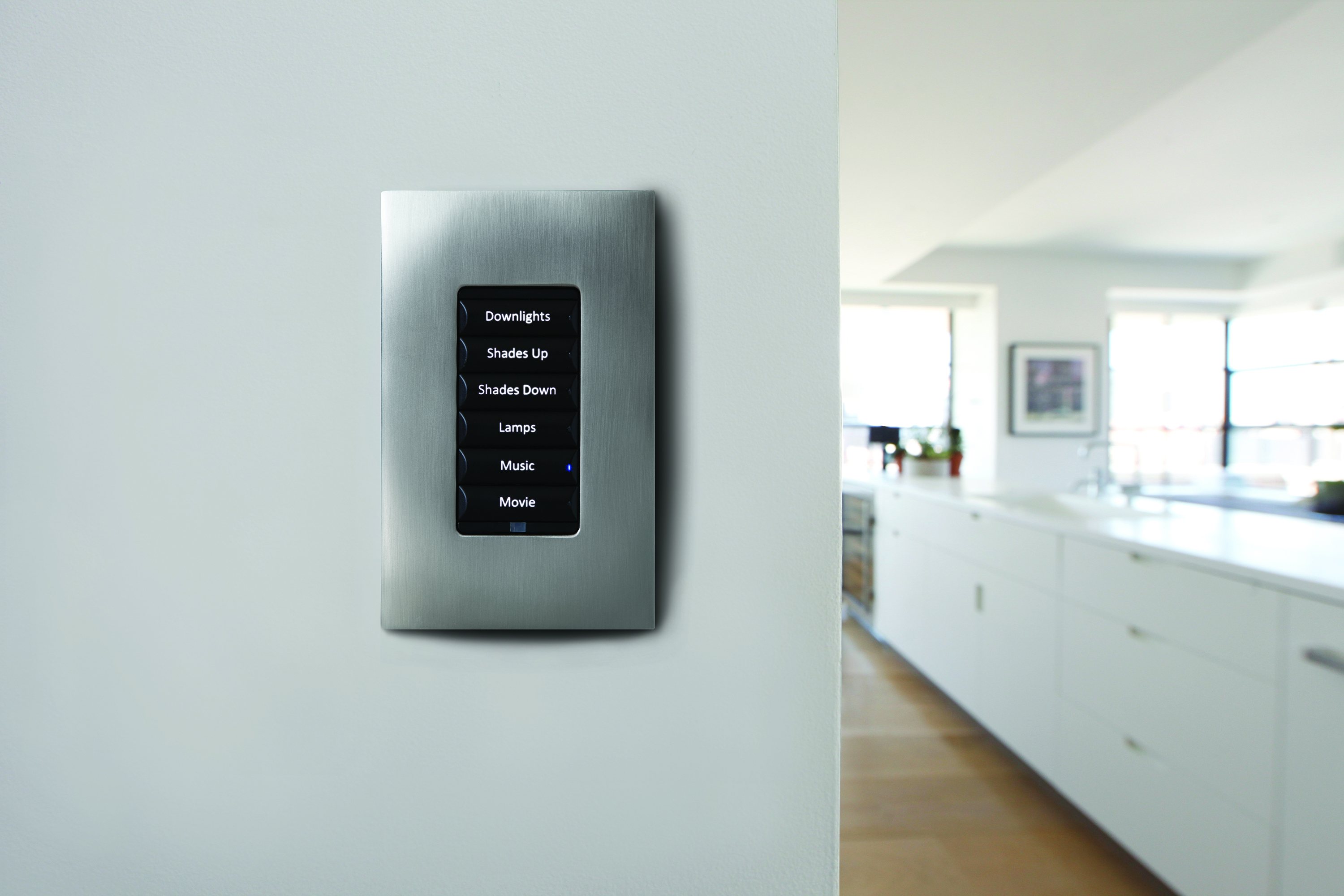
The Right Way to Customize Keypads


This post comes to us from Lisa Montgomery, Senior Editor at Electronic House and freelance home technology writer.

Being able to press one button to control multiple devices is one of the most appealing features of home automation. Creating these one-button “scenes” requires programming of the keypad’s companion home automation system, which is a fairly simple task for a trained custom electronics (CE) professional. Surprisingly, what’s often the most challenging part of a keypad design is deciding what to name each button.

Keypad buttons should be labeled in a way that makes sense to all members of the household and that best reflects the family’s personality. This can be difficult to determine right off the bat, which is why many CE pros recommend leaving the buttons blank—at least for a while. Engraving keypad buttons costs money, so why not wait until you’re absolutely sure what to inscribe before laying down the cash? Why not live with the system and the settings for a few weeks or even a month or two? You might find that the setting you thought you’d call “Morning” makes more sense as “Breakfast,” or that you’d actually like to add a few completely new scenes and buttons to the setup. Or, perhaps there are buttons that you never even touched during this introductory period. There’s no harm in this, as the only thing wasted are the cheat sheets your CE pro taped to the wall by the keypads to help you remember the function of each button.

As you begin to nail down what you like, what you don’t and what you’d change, take notes. Try out these new settings and labels for a bit, and when you’re absolutely certain, have them beautifully engraved. It’s a great way to personalize your automation system and mold it into something that’s uniquely yours. And don’t fret if a year later you’re ready for a change. Buttons can be popped off and replaced for newly engraved pieces.

Remote Monitoring: Peace of Mind on Your Next Vacation


This post comes to us from Lisa Montgomery, Senior Editor at Electronic House and freelance home technology writer.

You’ve hit the road with the family for the annual summer vacation. You can’t help but feel apprehensive about the well-being of your house and property while you’re away. Thanks to innovative home technology, your worries can be over. Equipped with Internet-friendly surveillance cameras and a control system, your house can keep you apprised of everything from a busted pipe in the basement and trespassers in the backyard, to the status of the thermostats and light switches. All you need with you is your smartphone with a WiFi or 3G/4G connection, and you can monitor and manage your home from miles away as easily as if you were there.

An automation system and surveillance cameras can be set up to alert you to certain conditions via a text or email message. From your phone you can log into the system to confirm the validity of the alert, and better yet, respond appropriately to it. For example, if your system has texted “Motion at the front door,” you can access the outdoor surveillance camera and view the front door remotely on the screen of your touch screen. If you see that it’s a friend who has stopped by to pick up your mail, you can unlock the door to let him/her in, then lock it back up after they leave. Should you see the weather back home has become outrageously hot and dry, you can tap into your home control system remotely to adjust the thermostats to protect the plants and activate the sprinkler system to keep the grass healthy and green during your absence.

With remote access to the electronic systems in your house, you’ll have the peace of mind to truly relax during your well-deserved vacation. So grab a towel, sunscreen and your smartphone and hit the beach. Your automation system and linked-in surveillance cameras have everything under control back home.

Check out how this killer vacation pad in Bal Harbour, Florida, is outfitted with home technology to allow the owner to check in, at any time, from his primary residence in France: The French Connection

WTF Just Happened: My New HDTV Makes Movies Look Unnaturally Smooth


This post brought to you by Jim Merithew/WIRED

You just bought a brand-new TV, but instead of being blown away by the picture you’re starting to think it actually makes everything look worse. Well, maybe worseis the wrong word. Unnaturally smooth is more like it. Movies don’t look like movies; they look like they were shot on a camcorder. Why is your TV fixing what ain’t broke?

This annoying little phenomenon is commonly referred to as the “soap opera effect,” and it’s a byproduct of your TV’s motion-enhancing features. Thankfully, the effect can be turned off, and that’s probably a good idea when you’re watching movies. While these smoothing features can make a few things look better—scrolling tickers, sports, and HDTV test discs, for example—our eyes and brains expect something very different when we’re watching movies. A slower frame rate is one of them.

Nearly every motion picture since the dawn of talkies has been shot at a frame rate of 24fps (24p), a standard that has survived the film-to-digital transition. Many TV shows are shot at 24fps nowadays. But that 24fps rate is at odds with the way TV stations broadcast content and the way TVs display that content. Right off the bat, 24p film or video has to be modified a bit to display properly when it’s broadcast.

For broadcast TV, video is delivered to your set at a rate of 60 “fields” per second. One field can represent an interlaced mash-up of two frames so that motion appears more fluid. Until recently, all TVs had a standard refresh rate of 60Hz to match up perfectly with the rate at which that stream feeds into your set. But newer LCD/LED sets often advertise a 120Hz or 240Hz refresh rate to help combat motion blur (more on that in a bit).

With 24p content, the film has to be scanned or the digital video has to be modified to look right on TV. That’s because 24 frames don’t fit evenly into those 60 fields. With 30p content, the frames can be interlaced to create a 60i stream or displayed twice each to achieve the 60-fields-per-second rate. But if 24fps content were played at 30fps, the on-screen motion would appear 25 percent faster—and if the audio kept pace, everyone would sound like a helium addict. If frames were dropped to 20fps, which fits more nicely into 60, the video would look too choppy. So instead, every four frames of 24p source content is turned into five frames using a process called 2:3 pulldown.

When this modified video is viewed on a TV, the content has been adjusted by creating two interlaced fields that combine adjacent frames in every five-field batch. It essentially turns 24p video into 30fps video, which is more compatible with the way TVs and broadcast systems work.

None of that is what causes the distracting too-smooth effect. However, it does mean that 24p content broadcast on TV already looks a bit different from what the director intended. What really takes it into soap-opera land is when a modern set’s motion-smoothing features are enabled.

If you bought a mid- to high-end LED/LCD TV in the last few years, it certainly has these features built in. I’m focusing on LED/LCD sets here, because plasma sets are all but dead and OLED sets are still rare. LED/LCD TVs often have these motion features due to the panel technology’s traditional problems with motion blur.

If your set is a 120Hz or 240Hz one, it adds faux frames to source content if motion-smoothing settings are turned on. The higher refresh rate means the panel can show many more new images per second—even if those images aren’t in the original content—in order to make everything look more smooth. These additional frames are completely made-up: There’s enough processing power in a modern TV to analyze successive frames, create fake “interpolated” frames that split the difference between them, and display them between real frames.

So let’s say you’re watching a movie on cable with all your TV’s motion-fanciness settings turned on. In this scenario, you’re watching a movie that started out at 24fps, was modified with hybrid frames to make it more broadcast-friendly, and is now at the point where there may be more fake frames than real frames in what you’re watching. Depending on your TV’s refresh rate and the frame rate of the source content, these motion features can add two to four times as many frames to the original video.

But just as a 120Hz or 240Hz TV can make movies look less like movies, it can also be the ultimate screen for watching 24p content as intended. If you’re watching a movie on Blu-ray, make sure your Blu-ray player is set to a 24p output mode and all those motion settings are turned off on your TV. This should make your TV show each frame of your 24p content 5 times per second on a 120Hz set or 10 times per second on a 240Hz TV. As for the other aesthetic qualities of watching movies on TV, using the set’s Movie mode, Cinema mode, Film mode, or THX mode (if your set has it) usually works best.

Wednesday, July 23, 2014

What is High Resolution Audio? Now There’s an Answer

New definitions should make shopping easier.

This post brought to you by Grant Clauser over at Electronic House magazine.

Audiophiles everywhere have been promoting and arguing the benefits of high resolution audio since they discovered that the CD version of The Wall sounded less like high school than the vinyl version they bought at a yard sale. Manufacturers have caught on, and now many are promoting their products’ ability to play high resolution audio. At the same time, a few music distributors are playing the audio elitist game by offering high res files of music.

While most people these days are satisfied with Pandora, Spotify and their iTunes downloads, the trend toward higher quality music sources is apparently growing so much that the music and electronics industries got together to slap a firm-ish definition on high resolution audio. In a nutshell, high resolution audio is anything better than low resolution audio, even if it’s only medium resolution.

Seriously though, high resolution audio files played on the right equipment can sound much better than the typical music download, and much better than a streaming source, but explaining the difference can be complicated.

This stereophonic meeting of the minds on this issue included the Digital Entertainment Group (which throws one of the most coveted parties at CES), Consumer Electronics Association (which throws CES), and The Recording Academy (which threw me out of the Grammys once). Also involved was Sony Music Entertainment, Universal Music Group and Warner Music Group.

The definition they came up with sounds pretty simple—high resolution audio is any audio that came from a better-than CD master. In their own words high res is “lossless audio that is capable of reproducing the full range of sound from recordings that have been mastered from better than CD quality music sources.”

To compliment that definition, the group also came up with a list of descriptors for different qualities of masters:

• MQ-P From a PCM master source 48 kHz/20 bit or higher; (typically 96/24 or 192/24 content)
• MQ-A From an analog master source
• MQ-C From a CD master source (44.1 kHz/16 bit content)
• MQ-D From a DSD/DSF master source (typically 2.8 or 5.6 MHz content)

The definition here may seem a bit broad and include a lot that some audiophiles may not consider quite high-resolution enough, but it’s a good starting point and meant to add to some clarity to a previously more-vague term.

Will there be a logo to go along with this definition, and will music studios and electronics manufacturers begin using these guidelines? It’s all voluntary, so maybe. “When properly implemented, we believe this agreement will be welcomed by our members and the music community, enhancing their ability to improve the music creative process,” said Neil Portnow, president/CEO of The Recording Academy

Dropcam in the Nest Smart Home Family, What’s Next?


With this acqusition, Google Gets Further into Home Automation

This post brought to you by Julie Jacobson over at Electronic House magazine.

I had the opportunity last week to serve on a panel discussion with Maxime Veron, director of product marketing for Nest, at an event sponsored by Harvard’s Joint Center for Housing Studies.

Nest Labs, acquired recently by Google for $3.2 billion, is spending $555 million to acquire Dropcam, maker of DIY cloud-enabled surveillance cameras.

I asked him about that “ZigBee radio” in the Nest thermostats that we discovered a couple of years ago.

He told me that, while the chip includes the same 802.15.4 radio used by ZigBee, in fact Nest is using something more like the low-power IP protocol 6LoWPAN with a proprietary layer called Nest Weave.

The technology allows communications among Nest devices even if the home network or Internet access is down.

So, for example, if the smoke/CO detector trips, then the HVAC system will shut down.

What Can Dropcam Add?

So now comes the question of Dropcam. What can the IP cameras add to the ecosystem? The products are sold for $150 and $200 with an optional $99 or $299/year service fee for cloud recording.

For those who subscribe to the cloud service, Dropcam offers some pretty sophisticated analytics that can, for example, distinguish pets from people or detect the opening and closing of doors.

It would not be a stretch for Dropcam to develop algorithms that detect smoke or fire before the warnings hit traditional detectors.

Of course, we could easily imagine that a Dropcam with Nest Weave could be triggered to record when the Nest Protect goes off.

More interestingly, the camera maker recently announced Dropcam Tabs, little sensors that can be affixed to doors, windows, washing machines (to detect the end of a cycle), valuables like computers and TVs, and anything else that moves.

Using Bluetooth Smart (Bluetooth Low Energy, or BLE), the sensors communicate with the camera to indicate activity or non-activity, and the information is relayed through the cloud (for users with the optional service) via email or text.

I’m guessing Nest will add Weave to Dropcam cameras and Tabs, further adding to its inter-communicating ecosystem.

Now, consider that Nest’s mission is to be the purveyor of the “conscious home,” as Veron noted during the JCHS panel discussion, then you can imagine what the camera and sensors can add to Nest.

The big problem today with the Nest thermostat and smoke detector is that they only provide a handful of “learning” points.

With Dropcam video analytics and Tabs sensors, Nest will be able to add multiple points for learning the habits of occupants and their property.

Surely some lighting controls are not far behind.

Let’s go one step further. As integrator Mark Seaton of Chicago-area Seaton sound suggests, Google could quite easily mesh Facebook with Dropcam analytics to indicate, for example, who is at the front door. Dropcam is not yet to the facial recognition stage, but surely will get there in time.

Three Strikes and You’re Out: Samsung Ending Plasma TVs


Will OLED and Ultra HD TVs make up for the loss of plasma?


This post brought to you by Grant Clauser over at Electronic House Magazine

Well, no one should be too surprised at this, but it appears Samsung is joining Panasonic (and Pioneer, Hitachi, Fujitsu, Runco…) as the latest HDTV manufacturer to call it quits on the plasma TV business. That leaves only LG.

As you probably remember, last year Panasonic, known at the time for making the industry’s best-performing television (the ZT60), pulled the plug on those plasma TVs to focus solely on LED LCD TVs. Samsung is now joining them,reports Reuters, which states the reason as “the decline in overall demand for plasma display panel televisions.”

This is something that continues to baffle people in the home theater business. Let’s make this clear—plasma TVs (mostly) produce better pictures than LCD TVs, even LED LCD TVs. There are some LEDs that come close, very close, but those have always been the most expensive models. Plasma looks better and cost less (check out this 64-inch plasma for $1,2999).

What part of that didn’t the buying public understand?

Now the only plasma TV maker left is LG, who no doubt also has plans to scrap its plasma business.

Another likely reason, aside from consumer lack of interest, is the move to 4K. The entire TV manufacturing business is transitioning to Ultra HD 4K TVs, and that’s not a transition that plasma panels make easily. What kind of message would Samsung (or anyone else, for that matter) be able to make about picture quality if they sold top-performing plasmas but pushed more expensive LED 4K sets at the same time?

So with plasma TV’s end of the road soon upon us, what can we hope for next? What about OLED? OLED TVs are our hope for a truly awesome display technology, and the examples we’ve seen so far, mostly from Samsung and LG, have been as impressive as we could want. But they’re also crazy expensive. Samsung earlier this year made motions that it’s OLED adventures were going to move a little slower than previously expected (see here), but LG, on the other hand, pledged a whole lotta new OLED products. Let’s keep our fingers crossed.

Finally, the change isn’t happening immediately. According to the Reuters article Samsung will keeping making plasma TVs until November (probably to have them available for the holiday sale season).

Monday, July 21, 2014

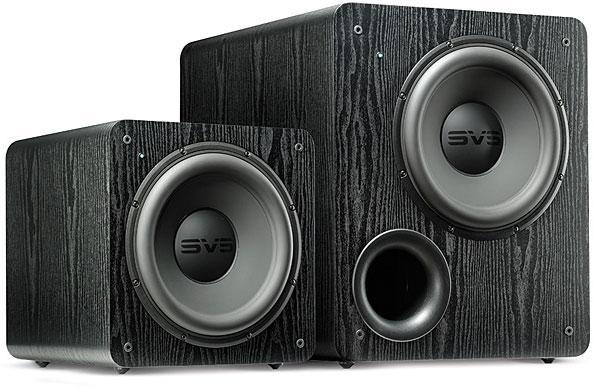
What's Better: One Subwoofer or Two?


This post brought to you by Al Griffin over at Sound and Vision Magazine. Got a tech question for Sound & Vision? Email them at AskSandV@gmail.com

Q: If I have a budget of $1500 to buy a subwoofer, should I buy one great sub or two good $750 subs? They would be used equally for both movies and music. Also, how do you connect more than one subwoofer to a receiver? —Raphaël Rainville, Montréal QC, Canada

A: That depends on what kind of listening experience you’re looking for. A big sub with a 15-inch driver should easily deliver deep bass extension and powerful dynamics. On the other hand, with two (or more) subs—even ones with smaller drivers—you can expect smoother, better-defined bass over a wider range of listening positions in your room.

Why? Standing waves. The interaction of the subwoofer’s output with your listening room creates modes that boost bass at certain frequencies, and cancels it out at others. Adding a second sub will help to even out those response peaks and dips. Also, a single sub can usually be localized by ear—something that isn’t the case when using two or more subs.

A few years ago, Sound & Vision published a listening comparison entitled Subwoofers: 4, 2, or 1? that attempted to gauge the sonic differences when listening with one big sub and multiple smaller subs. The tests used the same material to evaluate a single unit with a 15-inch driver, two 12-inchers, and four 8-inchers. The result? The 15-incher delivered the most authoritative low end, but its pitch definition was left wanting compared with the smaller sub configurations. It also found that while the quartet of 8 inchers failed to deliver muscular bass, the 12-inch pair was nearly as impressive as the 15-inch sub on that front. This lead the tester, Brent Butterworth, to conclude: “Two 12-inch subs in the front corners of the room is a damn good compromise for lots of situations.”

So, if you’re looking for brute bass power and the lowest possible extension, go the 15-inch route. But a pair of good 12-inch subwoofers can get you close to the same experience—and also deliver better—balanced bass. Oh yeah—to connect them to a receiver, just use a Y-splitter cable adapter plugged in to the receiver’s subwoofer output.

Saturday, July 19, 2014

Sonos Brings SoundCloud Home


This post brought to you by our friends at Sonos.
Nothing should stand between you and the music you love and want to discover. And the closer we can connect you to all the music on earth, the more we deliver on our mission to create the best experience with music at home. Period.

Today we move another step closer to fulfilling that promise as we welcome an exciting new partner to the Sonos world of music –SoundCloud.

SoundCloud enables millions of listeners around the globe to discover original music, connect with each other and share their own sounds – from unknown artists putting their first demos into the world from their bedroom, to bands debuting their latest singles, to podcasters, comedians, news outlets and more.

Together, we’ve partnered to bring you closer than ever before to the world’s largest community of sound creators – the way they want you to hear it.

A global connection to a world of sound, now playing on Sonos everywhere

With SoundCloud, we bring Sonos customers in every country around the world a truly global experience, all at once, connecting you to a unique, expanding library of music and audio.

Original sounds from artists and creators, unleashed to your home the way they were meant to be heard

With 12 hours of music and audio uploaded to SoundCloud’s platform every minute, Sonos expands your world of listening by freeing those sounds from computers and devices, giving millions of homes a direct way to stream to HiFi speakers.

Easy discovery without limitations

With SoundCloud’s ever-expanding library of new and established artists on Sonos, you can easily discover unique music and audio. Use Universal Search on the new Sonos controller app to stumble upon music from your favorite artists on SoundCloud that you may never have heard before.

Try SoundCloud’s free service in beta on Sonos now by visiting ‘Add Music Services’ in the new Sonos app and dive into a world of new music.

For more information on this, please visit sonos.soundcloud.com.

- See more at: http://blog.sonos.com/news/sonos-takes-soundcloud-home/#sthash.Odfw16QD.dpuf

Home Theater: A Great Place to Start Automating

Home Theater: A Great Place to Start Automating: audio/video, home automation, home theater, lighting control, shade control,

This post brought to you by our friends at Control 4.

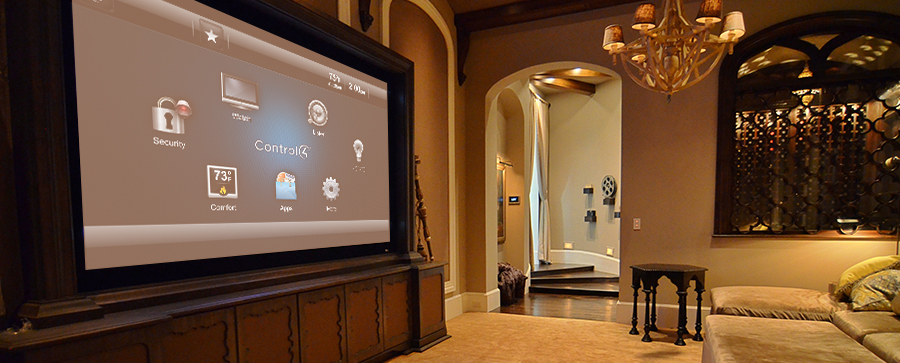
The thought of placing your entire house under the command of a single home automation system can seem like a daunting task. And in some cases, it can be. Whether your home is in the process of being built or is already completely finished, its layout and your budget can all influence the difficulty of the design and installation of the processors, wiring and other components that make up a control system. Fortunately, manufacturers like Control4 offer solutions that allow you to add home automation gradually, one component at a time, as you deem necessary and financially wise.

A natural place to begin your automating is in the home theater or media room. Here, you can consolidate the controls of every piece of A/V equipment into a single menu on an iPad, a touch screen or the buttons of a handheld remote. A “Movie Time” command issued by these devices is received by the home theater’s home automation processor, which is able to translate the command into signals that each piece of A/V equipment can understand. Beyond this capability, the processor can manage the settings of the room lights; for instance, dimming them as the A/V receiver activates. It can also tell a motorized roller or track to close the shades or drapes over the windows.

These features can provide you with a good sense of what home automation is about. You’ll be able to get familiar and comfortable with the system, and when you’re ready, expand into other rooms or weave in the control of other types of devices with confidence and without breaking the bank. And don’t worry too much about the labor involved. A few additional pieces of hardware and a tweak of the software program by a custom electronics professional will likely be all that’s required to broaden the scope of a home theater-based automation system.

See how this Florida homeowner with a penchant for high-powered audio experiences transformed his home theater into a full-blown home automation systems that would fulfill any audiophile’s wildest dreams: Control4 Puts Audio Power in the Palm of the Hand

Getting Your Control4 System to Adapt to You


Getting Your Control4 System to Adapt to You: audio/video, home automation, internet of things, lighting control,


This post comes to us from Lisa Montgomery, Senior Editor at Electronic House and freelance home technology writer.

One of the biggest mistakes we as tech consumers make is trying to force ourselves to adapt to the electronic systems in our homes. Shouldn’t it be the other way around? Shouldn’t technology adapt to the way we live? Yes and yes.

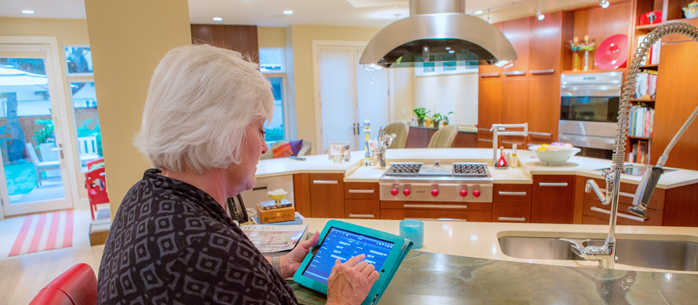
Thanks to a huge influx of connected devices, also known as the “Internet of Things,” it’s become possible to easily modify automation systems to our ever changing routines, habits and expectations. And after the initial install by your Control4 dealer, you won’t always need to schedule a house call to do so. Control4 has developed software that enables homeowners to perform minor modification to their automation system. Is the kitchen light in the “Good Morning” scene that your dealer setup too bright? You can easily dim that light and make that change to the “scene” from a Control4 touch screen or with a few clicks of a mouse on your computer. Or maybe you’d like to create a completely new automation routine, like having your favorite playlist automatically play in your bathroom ten minutes after your morning alarm goes off. That’s possible, too. With access to the software, you’re free to experiment and explore, to customize and personalize, to help the system adapt to the way you live.

When you’re ready to expand, your dealer can add an electronic door lock, motorized track for your window drapes or a smart thermostat, and you’ll know that you’ll always be able to adjust their settings to suit whatever schedule or routine you happen to be following at the moment.

A Winning Combination


A Winning Combination: handheld remotes, home automation, keypads, portable touchpanels,


This post comes to us from Lisa Montgomery, Senior Editor at Electronic House and freelance home technology writer.

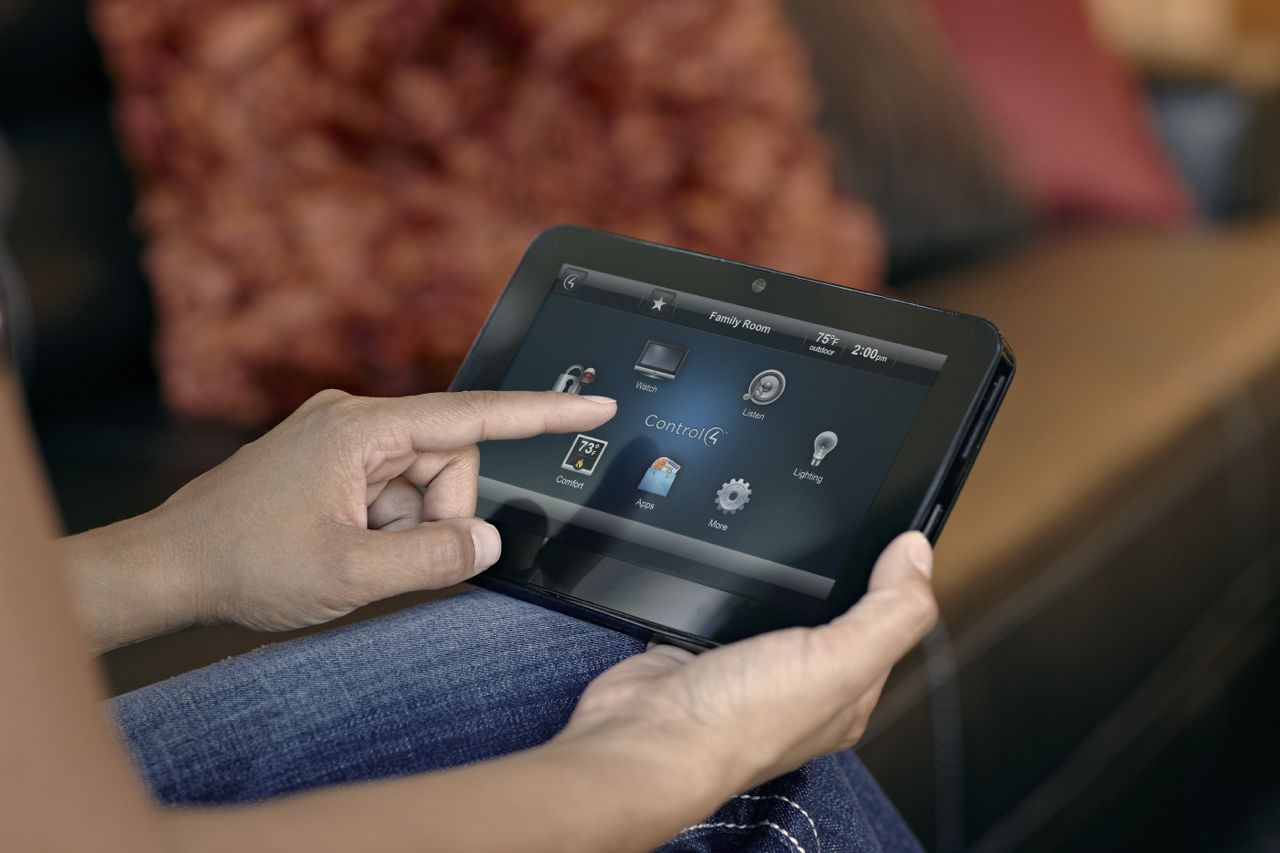
You might think that using an app on your iPad to operate the electronic devices in your home is convenient…and it is. Sometimes. There’s no doubt that the iPad is a great device from which to manage a home, but for many families, using a combination of different types of controllers is often a better solution than sticking strictly with a mobile device. Be sure to also consider integrating wall-mounted keypads, portable touchpanels and handheld remotes. Here’s why:

Keypads:
Unlike mobile controllers that float around the house, wall-mounted keypads are always in the same spot. Stationed to the wall, they never get lost between the cushions of the couch or lose battery power. Keypads are ideal controllers for quick, on-the-spot adjustments of lights and motorized shades. They’re also effective at minimizing wall acne, as one keypad can usually do the job of what might have required four or more independent light switches to accomplish.

Portable Touchpanels:
On the surface, a portable touchpanel may seem a lot like an iPad, where graphical icons and menus guide you through the control options. However, unlike an iPad which might also be used to store photography, download music and watch movies, a touchpanel focus on one thing and one thing only: controlling the electronic devices in your home.

Handheld Remotes:
Many people prefer the tactile feel of buttons over icons on touchpanels and tablets to launch commands, particularly to the A/V equipment of a home theater. Handheld remotes are ideally suited for media rooms and home theaters for adjusting the volume and playing and pausing a movie. With some programming, a handheld remote can provide couch-based control over the media room’s lights.